What Happens When You Lose Access to an Account Linked to Other Apps?
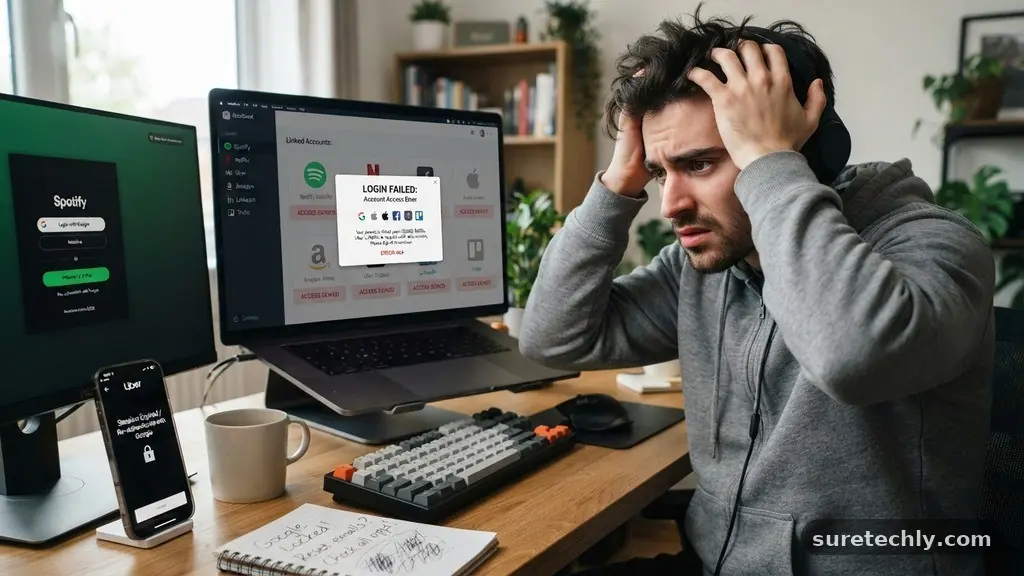
When you lose access to a primary profile like Google, Apple, or Facebook, you rarely just lose a single inbox or password. What happens when you lose access to an account linked to other apps is a cascading failure across your entire digital life, locking you out of streaming services, financial tools, and workplace software simultaneously. Understanding this vulnerability helps you protect your data before a security breach occurs and leaves you stranded.
The Mechanics of Connected Logins
Modern internet infrastructure relies heavily on federated identity systems provided by tech giants. Instead of creating a new username and password for every service, users click a single button to authenticate via an external provider. This convenience saves time and reduces password fatigue across devices.
However, this architecture creates a single point of failure for your digital identity. When you authorize a third-party service to use your credentials, you establish a permanent handshake between two distinct databases. If the primary gateway collapses, gets locked, or suffers a security breach, every downstream connection breaks instantly.
The system works by passing an authorization token rather than your actual password. Services like Google or Facebook introduce convenience, saved data, contacts, and communication history into the third-party app during this handshake. When your master key is revoked, the token becomes invalid, and the dependent doors slam shut.
Immediate Lockouts Across Productivity Tools and Media
The first symptom of losing your primary login is a sudden inability to open your favorite software. You might find yourself locked out of writing apps, project management boards, and cloud storage providers within minutes. This abrupt halt disrupts work routines and personal organization alike.
Streaming platforms and media libraries are often hit just as hard. If your movie subscription or music library is tied to that missing profile, your entertainment options vanish. You cannot simply log back in with a quick password reset because the recovery email points to the very inbox you can no longer reach.
The disruption extends beyond simple inconvenience into actual financial waste. Active subscriptions continue billing your linked credit card while you sit locked outside the gate. Recovering these accounts often requires submitting identity verification documents to customer support desks with long wait times.
Loss of Financial Access and E-Commerce Portals
Financial technology apps represent the highest-stakes danger when a central login fails. Digital wallets, peer-to-peer payment platforms, and banking portals frequently use single sign-on options for quick verification. Losing that gateway means you cannot check balances, transfer funds, or pay bills.
Shopping accounts hold similar risks for consumers who rely on stored payment methods and shipping addresses. E-commerce storefronts often store sensitive financial data behind these federated walls. If an unauthorized actor gains control of your primary profile, they can drain linked accounts before you notice.
Protecting your assets requires proactive separation of your financial life from social logins. You can review guidelines on identity theft and account security through resources like the Federal Trade Commission guidance page. Maintaining direct, independent passwords for money apps prevents a single email compromise from threatening your bank account.
Stranded Assets in Gaming Networks and Digital Stores
Gamers and digital collectors face a unique heartbreak when a primary hub account vanishes. Virtual libraries, in-game currency, and cosmetic items are strictly bound to the ecosystem profile. Losing access means forfeiting hundreds or thousands of dollars in digital purchases.
Many online marketplaces do not allow the transfer of game licenses between different user profiles. If your primary email gets deactivated or locked out permanently, your entire library stays trapped behind that closed door. Support teams rarely make exceptions due to strict anti-fraud policies.
This reality turns casual entertainment into a high-risk asset holding. Players must back up their profile recovery codes and enable multi-factor authentication everywhere possible. Relying solely on a third-party button to guard years of accumulated progress is a gamble that rarely pays off.
Auditing Third-Party Permissions
Preventing total digital collapse starts with a thorough cleaning of your connected applications. Most major providers host a dedicated security dashboard that lists every external service currently tied to your profile. Reviewing this list monthly reveals forgotten apps that still hold keys to your personal data.
Revoking access to unused software shrinks your digital footprint and limits potential fallout. If a minor game or utility app suffers a data breach, your primary account remains safer because the connection was already severed. Regular audits act as a digital hygiene habit that stops minor leaks from becoming floods.
- Log into your primary Google, Apple, or social media security settings page.
- Navigate to the security tab and locate the section for third-party apps or connected services.
- Review the list and click remove on any software you no longer actively use.
- Check permissions to ensure apps only access basic profile data rather than contacts or emails.
- Enable alerts for any new app connections made on unfamiliar devices.
Establishing Independent Credentials
Breaking the habit of convenience requires creating standalone accounts for critical services. While typing a unique password takes an extra few seconds, it insulates your essential tools from external failures. This independence is the cornerstone of robust personal cybersecurity.
Password managers make this transition manageable by generating and storing complex credentials for every site. You no longer need to memorize dozens of distinct passwords to keep your accounts separated. If one service experiences an outage or a breach, the rest of your digital ecosystem remains completely untouched.
Migrating away from social logins takes deliberate effort over several weeks. Start with your email, banking, and primary cloud storage accounts before moving down to secondary utilities. Establishing distinct recovery phone numbers for each service ensures you always have a reliable backup path.
Recovery and Mitigation Strategies
When the worst happens and you lose your primary gateway, swift action minimizes the damage. The first step involves securing your recovery email and backup phone numbers before attackers can redirect them. Most platforms offer a grace period or a multi-step identity verification process to prove ownership.
Documenting your purchases and transaction histories helps speed up support tickets with locked services. Companies require proof of identity before handing over control of a valuable profile. Having screenshots of recent receipts, billing addresses, and old passwords can make the difference between recovery and permanent loss.
| Account Type | Primary Risk of Loss | Recommended Backup Method |
|---|---|---|
| Primary Email | Complete cascade failure across all linked services | Hardware security key and physical backup codes |
| Financial Portal | Immediate loss of funds and payment capability | Standalone login with hardware-backed two-factor auth |
| Gaming Network | Total forfeiture of purchased digital assets | Linked mobile authenticator app and verified ID |
| Productivity Suite | Interruption of work files and cloud documents | Local file backups and secondary recovery email |
Frequently Asked Questions
Can I recover a locked social login used for other apps?
Yes, but the process depends entirely on the support systems of the platform that locked you out. You will likely need to submit government identification or answer security questions to prove your identity. If the platform has weak customer support, recovery can take weeks or prove impossible.
What happens to my monthly subscriptions if I lose my account?
Your active paid subscriptions will generally continue to bill your attached credit card until you cancel them. Because you cannot log into the platform, you may need to contact your bank directly to block the merchant and stop the recurring charges.
Are single sign-on buttons safe to use?
They are convenient and often more secure than weak, reused passwords, provided your primary account is protected by strong multi-factor authentication. The danger arises only if your main gateway is compromised or locked, which instantly exposes everything attached to it.
How do I disconnect an app without losing my data?
Before revoking access, check if the third-party service allows you to create a native username and password. Once you establish independent credentials on that platform, you can safely sever the social login link without losing your progress or data.
Conclusion
Losing access to a central hub account exposes how interconnected our modern digital lives have become. Taking time today to audit your permissions and establish independent credentials prevents future disasters. By securing your primary gateways and diversifying your logins, you keep control firmly in your own hands.
Start small by reviewing your connected apps this week and severing ties with services you no longer use. A little foresight goes a long way toward protecting your peace of mind online. Take a moment to secure your backups today, and share your own account recovery tips in the comments below.