What Does End-of-Life Software Mean for Your Computer?
Understanding what end-of-life software mean for your computer is essential for maintaining a healthy and secure digital environment. When a software developer stops supporting a program, they no longer provide security patches or bug fixes for it. This transition effectively leaves your machine exposed to emerging threats that target known, unpatched vulnerabilities.
By recognizing the signs that your applications have reached this stage, you can proactively upgrade your systems before performance drops or security breaches occur. This article explores the technical and practical implications of using outdated software, helping you make informed decisions about your digital infrastructure.
Defining the End-of-Life Lifecycle
End-of-life, or EOL, marks the point where a software vendor officially terminates support for a product version. This process usually involves a roadmap where a company announces a final date for security updates and technical assistance.
Once this date passes, the software is considered legacy, meaning it is no longer maintained or tested against modern threats. The developer shifts their focus entirely toward newer versions or entirely different product lines.
For the average user, this means that even if the software still opens and functions, it has become a liability. You will not receive any further protection against new malware that exploits the specific code of that program.
It is a common misconception that software is “finished” when it stops receiving updates. In reality, modern digital environments are dynamic, and software requires constant maintenance to remain functional and safe.
The Security Risks of Unsupported Systems
The most immediate danger of running EOL software is the total lack of security patching. When hackers discover a new way to compromise a system, they look for software that is no longer being monitored by developers.
They create exploits specifically for these unpatched versions because they know the holes will never be plugged. This leaves your machine wide open to ransomware, spyware, and unauthorized remote access.
Beyond individual security, the presence of EOL software can trigger serious Compliance Violations. For businesses, HIPAA, or PCI-DSS requirements often mandate that all software in use must be supported by the vendor.
If an audit reveals that your infrastructure relies on outdated, unsupported programs, you could face significant legal and financial penalties. Protecting your personal information becomes nearly impossible when the very tools you use to manage that data are fundamentally broken from a security standpoint.
Compatibility and Performance Challenges
As operating systems evolve, they change how they interact with the hardware and software layers underneath them. EOL software is rarely updated to accommodate these changes, leading to significant Compatibility and Performance Challenges.
You might find that your legacy software crashes frequently, fails to save files correctly, or triggers memory leaks that slow your entire machine to a crawl. These issues occur because the software is attempting to use system calls that the modern operating system has either modified or deprecated.
Furthermore, modern hardware components often require specialized drivers that are only compatible with current software versions. If you try to run legacy software on a brand-new machine, the two may simply refuse to communicate.
This leads to a fragmented user experience where you are forced to choose between keeping your old, familiar program or upgrading your hardware. The following table illustrates the typical impact of EOL software on common computing tasks.
| Task Category | Supported Software Impact | EOL Software Impact |
|---|---|---|
| System Security | Regular patches provided | Zero vulnerability protection |
| Hardware Driver Support | Fully optimized | Frequent crashes or failure |
| Data Transfer | Modern encryption standard | Legacy, insecure protocols |
| Application Speed | High efficiency | High resource consumption |
Software Interoperability and Modern Workflows
Modern applications, such as web browsers, productivity suites, and creative software, rely on a complex ecosystem of shared libraries and APIs. When you continue to use EOL software, you break the chain of Software Interoperability.
Your old programs cannot “talk” to new ones, meaning you might be unable to open files created in current versions of Microsoft Office or Adobe Creative Cloud. This isolation makes it difficult to collaborate with colleagues or share documents with clients.
Web browsers are particularly sensitive to this problem. As the internet moves toward more secure protocols, older browsers become incapable of rendering modern websites. You might see broken layouts, missing images, or, more importantly, warnings that your connection is not private.
This prevents you from accessing essential services like online banking or government portals. You can find more details on how to manage these risks through the Cybersecurity and Infrastructure Security Agency.
Beyond Security: The Functional Decline
Beyond security, EOL software often suffers from a gradual loss of feature enhancements that make daily tasks easier. Developers introduce new tools and workflows to save time, but these are almost exclusively reserved for the latest versions.
By sticking with an outdated version, you are effectively accepting a lower level of productivity. You miss out on automation, cloud integration, and improved user interfaces that define the modern computing experience.
There is also the hidden cost of “workarounds.” Users of EOL software often spend hours troubleshooting issues, searching for old drivers, or converting files to make them readable.
This time is a significant drain on your resources. When you calculate the total cost of ownership, the price of an upgrade is often dwarfed by the time wasted maintaining a dying system.
Hardware Incompatibility and System Instability
Modern hardware components are built for efficiency and speed, often requiring specific firmware instructions that old software simply doesn’t understand. If you pair a legacy operating system or application with a modern solid-state drive or high-refresh-rate monitor, you may experience erratic behavior.
The software might not know how to handle the high data throughput or the specific display commands. This mismatch leads to system instability that is notoriously difficult to diagnose.
You might find that your computer freezes during simple tasks or that your peripherals, such as scanners or high-end printers, suddenly stop being recognized. These devices rely on software drivers that are updated alongside the OS.
When the software is EOL, the drivers eventually stop being distributed or updated. Consequently, your hardware becomes a collection of expensive, non-functional components.
Managing the Transition
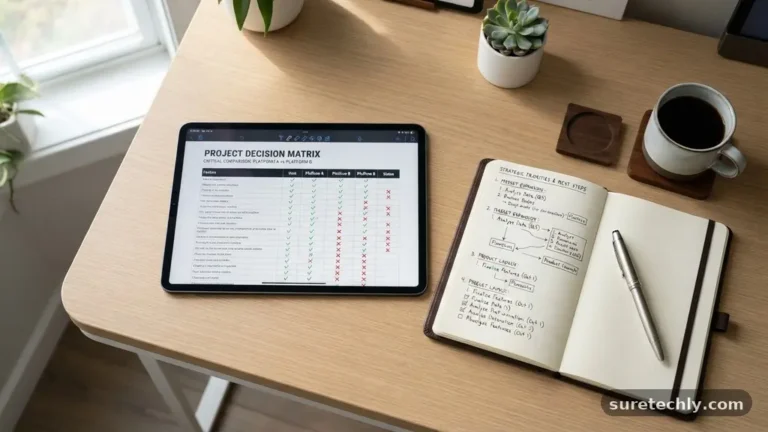
Moving away from EOL software requires a strategy that prioritizes your most critical data. Start by performing a full audit of every program installed on your machine.
Identify which applications are still receiving updates and which ones have been abandoned by their creators. Prioritize the replacement of any software that handles sensitive data or connects directly to the internet.
Once you have identified the problematic software, look for modern alternatives. Many open-source projects offer excellent, free replacements for legacy tools.
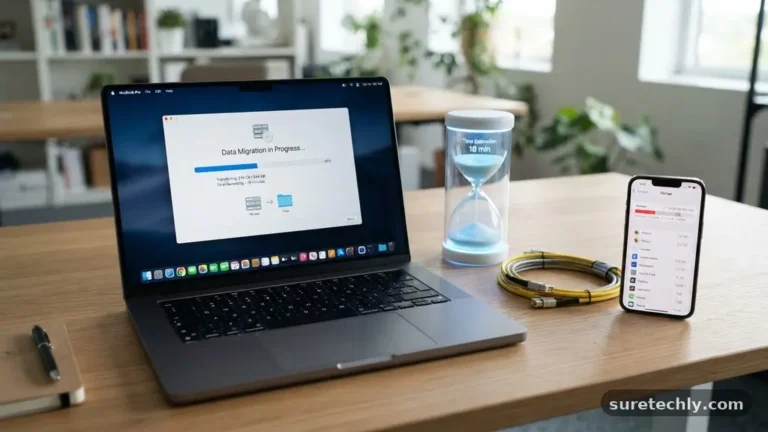
If you rely on specialized proprietary software, contact the vendor to see if they offer a migration path to their current version. The transition can be tedious, but the gain in stability and security is worth the effort.
Frequently Asked Questions
Can I keep using EOL software if I am offline?
While staying offline reduces the risk of remote attacks, it does not solve all problems. You remain vulnerable to local threats, such as malicious files moved via USB drives, and you still face the reality of hardware and system instability. Additionally, modern software is rarely truly “offline” in its dependencies, meaning you will eventually hit a wall where the software simply fails to launch or function as expected.
How do I know if my software is EOL?
Most reputable developers list their product lifecycle dates on their official websites. You can usually find a “Support Lifecycle” or “End of Life” page by searching for the software name followed by those terms. If a product has not received an update or a patch in over two years, it is highly likely that it has reached the end of its life, even if no formal announcement was made.
Does EOL mean the software will stop working immediately?
No, the software will usually continue to launch and perform basic functions for a period of time. However, it will become increasingly fragile as the operating system underneath it updates and changes. You will likely notice a “death by a thousand cuts” where specific features stop working one by one until the program is no longer usable.
Is it safe to use “abandonware” or cracked versions of old software?
Using abandoned or pirated software is extremely risky. These versions are often modified by third parties who may inject malware or backdoors into the code.
Since the original developer is no longer involved, there is no way to verify the integrity of the software. It is always safer to use modern, supported alternatives than to risk your system’s health with unverified legacy files.
Conclusion
Understanding what end-of-life software mean for your computer is the first step toward a more secure digital lifestyle. While it is tempting to hold onto familiar tools, the risks of using unsupported, outdated programs far outweigh the comfort of the status quo. By identifying these legacy applications and replacing them with modern, supported alternatives, you protect your personal information and ensure your hardware performs at its best.
Do not wait for a security breach to force your hand. Take an afternoon to audit your current setup and clear out the old, unpatched programs that put your machine at risk.
If you have questions about specific software versions or need help planning a migration, check the official developer support pages for guidance. Staying current is the best way to keep your computing experience smooth, efficient, and safe for years to come.