How to Choose Between a Web App and a Desktop Application: Making the Right Call
Deciding between a web-based tool and a locally installed program can make or break your software project. Figuring out how to choose between a web app and a desktop application requires looking closely at user needs, hardware access, and long-term maintenance costs. Getting this decision right early saves thousands of dollars in rewritten code later.
Core Architectural Differences
Understanding the underlying engine room of your software starts with Core Architectural Differences. Web apps run inside a browser sandbox, relying heavily on remote servers to process data.
Desktop software executes locally on the user’s machine, leveraging the full power of the host operating system. This structural split dictates everything from how fast a file saves to how much memory the program consumes.
Browsers parse languages like JavaScript and HTML5 to render interfaces on the fly. Desktop tools compile directly to machine code or run inside native runtimes like .NET or Electron. That fundamental gap changes how developers handle file systems, network requests, and user authentication.
Server Versus Local Processing

Offloading heavy computation to a cloud server keeps client devices lean and fast. Local processing keeps data entirely on the user’s hard drive, removing latency and dependency on an internet connection. Software architects must weigh whether users have reliable broadband before choosing a cloud-heavy approach.
Memory and Storage Management
Web platforms face strict memory limits imposed by browser tabs. Native programs pull from system RAM without those artificial ceilings. Large datasets load faster when the software touches local storage drives directly.
Performance and Hardware Integration
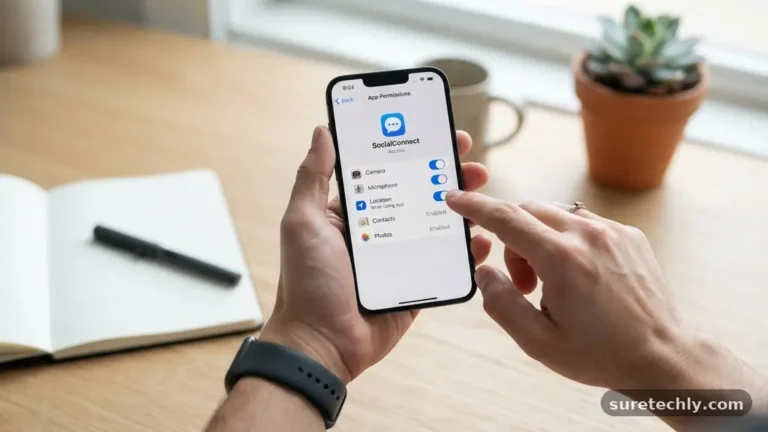
Hardware access remains the single biggest differentiator for intensive software tasks. Web browsers shield the operating system from malicious scripts by design. That safety barrier creates hurdles for software needing direct access to specialized hardware components.
A high-end graphics card can accelerate 3D rendering in a native app far better than a browser-based canvas. Connecting to weird peripheral devices like plotters, lab equipment, or specialized printers often requires native drivers. Web USB and Web Bluetooth APIs have closed some of that gap, but edge cases still demand a desktop install.
Graphics and Rendering Speeds
Games and video editing suites demand frame rates that browsers struggle to maintain consistently. Native binaries talk directly to DirectX or Vulkan graphics APIs. WebGL offers a web-based alternative, but overhead from the browser engine remains.
Peripheral Device Communication
Desktop software talks easily to connected serial ports, MIDI controllers, and backup drives. Web apps must navigate permission prompts and security sandboxes for every piece of connected hardware. Choosing native is usually safer for hardware-heavy workflows.
Development Timelines and Budget
Building software takes time, and the tech stack you pick dictates your budget. Web applications often move faster through initial development timelines because a single codebase runs across Windows, macOS, and Linux. Building native versions for three different operating systems usually means writing three distinct codebases or relying on heavier frameworks.
Here is a quick breakdown of how the two approaches compare across common project metrics:
| Metric | Web Application | Desktop Application |
|---|---|---|
| Initial Setup Speed | Fast (single codebase) | Slower (OS-specific builds) |
| Hardware Access | Restricted by browser | Full system access |
| Update Deployment | Instant (server-side) | Manual user downloads |
| Offline Usability | Limited (requires caching) | High (runs without internet) |
Cross-Platform Efficiency
Writing a React or Vue frontend means your product works everywhere a browser lives. Avoiding platform-specific bugs cuts QA testing time in half. Small teams usually lean toward web builds for this exact reason.
Team Skill Sets
Finding developers skilled in modern web tech is generally easier than hiring seasoned native systems engineers. Training costs drop when your team uses a unified web stack. That staffing reality shifts budgets significantly.
Deployment, Updates, and Maintenance
Pushing a patch to users highlights the starkest operational differences between these models. Deployment, Updates, and Maintenance headaches vanish with cloud-hosted software. You deploy code to your server once, and every user sees the update instantly upon refreshing their tab.
Desktop tools require users to download installer packages or click through update prompts. Missed updates lead to fragmented user bases running outdated, insecure versions of your software. Managing backward compatibility across older desktop clients drains engineering hours fast.
Silent Background Patching
Web apps handle security fixes on the backend without user intervention. Native apps often interrupt workflows with mandatory restart prompts. Minimizing user friction during updates keeps retention rates high.
App Store Gatekeepers
Publishing desktop software often means dealing with the Apple Mac App Store or Microsoft Store review processes. Web apps live on your own domain, bypassing third-party approvals entirely. You control your own release schedule without arbitrary rejections.
Security, Privacy, and Data Ownership
Data security priorities often force the hand of enterprise software buyers. Web applications store data on remote servers, which introduces third-party hosting risks and compliance hurdles like GDPR or HIPAA. Meanwhile, desktop software keeps sensitive files inside corporate firewalls on local machines.
Users who handle proprietary financial records or classified documents often refuse to use cloud software. Giving customers complete control over their database prevents third-party data breaches. At the same time, cloud providers offer enterprise-grade security that small internal IT teams struggle to match.
Encryption Standards in Transit
Web traffic relies heavily on HTTPS and TLS protocols to secure data moving between client and server. Local apps rely on the host machine’s physical security and disk encryption. Both models work, but failure points differ drastically.
Backup and Recovery Procedures
Cloud systems automate backups daily, protecting users from hardware failure. Local desktop data vanishes if a hard drive dies without a manual backup routine in place. Balancing convenience against privacy dictates the final verdict.
Offline Functionality and Reliability
Internet dependency remains a major Achilles’ heel for browser-based software. When a fiber cable snaps or Wi-Fi drops, web apps freeze instantly. Field workers, remote travelers, and enterprise teams in secure bunkers need tools that function without connectivity.
Modern standards like WebAssembly and service workers allow web apps to cache data locally and run offline. Even with those tools, desktop apps remain far superior for continuous offline use. They do not rely on a browser tab staying open or cache clearing policies wiping local data.
Caching Strategies
IndexedDB and local storage help web apps save state during brief network outages. Syncing that data back to the server once connection returns requires complex conflict resolution code. Native apps handle local databases like SQLite natively without sync overhead.
Reliability During Outages
Server outages can paralyze an entire customer base simultaneously. Local software keeps running smoothly even if AWS goes down entirely. That autonomy appeals strongly to mission-critical industries.
User Experience and Accessibility
Software adoption depends entirely on how frictionless the onboarding process feels. Forcing a user to download a 500-megabyte installer creates an immediate drop-off in conversion rates. Clicking a simple URL to instantly test a product removes that barrier entirely.
Web apps excel at collaborative workflows where multiple people edit the same document in real time. Desktop tools can achieve this through complex cloud integrations, but native UI frameworks sometimes feel disjointed when sharing state. Accessibility standards also favor web tech, as screen readers and browser zoom tools are baked into the core platform.
Onboarding Friction
Zero-install models let marketers run free trials directly inside a landing page. Requiring credit card info and an installer package kills impulse adoption. Reducing steps to value drives product-led growth.
Real-Time Collaboration
Google Docs style collaboration is vastly easier to build in a web environment. Managing cursor positions and change logs over WebSockets fits the browser paradigm naturally. Native apps require custom networking layers to achieve the same fluidity.
For further reading on software architecture patterns and platform selection criteria, consult the World Wide Web Consortium standards documentation.
Frequently Asked Questions
Can a web app completely replace a desktop app?
For many standard productivity tasks like word processing and project management, yes. For heavy tasks like 3D modeling or video production, desktop software still holds a clear advantage due to direct hardware access.
Which option is more secure for enterprise data?
It depends on your compliance requirements and IT infrastructure. Web apps offer managed cloud security, while desktop apps keep sensitive files entirely within local physical control.
Do web apps cost more to run over time?
Server hosting and cloud database fees scale with your user base, creating ongoing operational costs. Desktop software shifts hosting costs onto the user, but incurs higher support overhead for managing multiple legacy versions.
How difficult is it to convert a web app into a desktop app?
Frameworks like Electron make it relatively straightforward to wrap a web app inside a desktop shell. However, true performance optimization for local hardware often requires rewriting core modules in native languages.
Conclusion
Weighing the pros and cons of these two development paths comes down to your specific technical requirements and audience habits. Prioritize speed, broad reach, and instant updates by building for the browser.
Choose native desktop development when your users demand maximum hardware performance, strict offline reliability, or deep system integration. Take time to map your core workflows before writing a single line of code, and you will build a sustainable product your users will love.