How to Reduce Unnecessary Notifications Without Missing Important Alerts
Achieving digital wellbeing often starts with the simple act of reducing unnecessary notifications without missing important alerts. Most people struggle because their devices are tuned to demand attention for every minor update, leading to a constant state of distraction. By refining your notification management strategy, you can reclaim your focus while ensuring that truly urgent messages still get through.
This process involves shifting from a reactive stance to a proactive configuration of your device settings. You will learn to silence the noise of trivial pings while building a reliable system that elevates the alerts that actually matter to your daily life and work.
Understanding the Notification Hierarchy
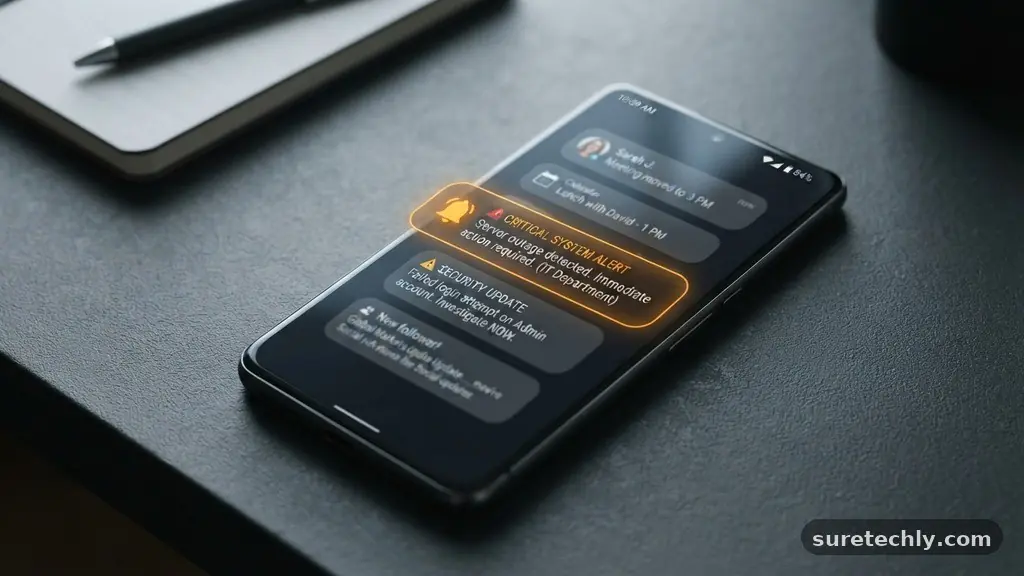
The first step in taking control is recognizing that not all pings are created equal. You likely receive a mix of high-priority communications, such as direct calls from family or work-critical emails, alongside low-priority social media updates or marketing newsletters.
Categorizing these inputs allows you to apply different rules to each tier. When you start reducing unnecessary notifications without missing important alerts, you must identify your “must-reach” contacts and applications.
Most modern operating systems provide tools to filter these inputs based on their origin. For instance, you can allow a text message from a specific person to bypass silent modes while blocking all other app notifications.
This tiered approach ensures that your phone remains a tool for connection rather than a source of constant interruption. By prioritizing these channels, you significantly lower your daily stress levels.
Mastering Operating System Settings
Your smartphone’s built-in settings are the most powerful weapons in your arsenal. Both iOS and Android have evolved to offer granular control over how and when you are interrupted.
Instead of turning off all alerts, look for the notification center settings within your OS. Here, you can disable banner alerts for non-essential apps while keeping a badge count or a lock screen notification.
This allows you to check for updates on your own terms rather than being forced to look the moment a sound plays. You should also audit your app permissions periodically to ensure that only essential software has the right to send push notifications.
If a game or a shopping app doesn’t need to alert you in real-time, revoke that permission immediately. This simple cleanup reduces notification noise and preserves your mental bandwidth throughout the day.
Utilizing Focus Modes Effectively
Focus mode is a sophisticated feature designed to silence the digital world during specific periods. Whether you are working, exercising, or spending time with family, these modes can be automated to trigger based on time or location.
You can customize these states to permit only specific people or apps to break through the silence. This is the secret to reducing unnecessary notifications without missing important alerts during your most productive hours.
Setting up a “Work” focus mode, for example, might allow messages from your colleagues on Slack while blocking all social media engagement. When the focus session ends, your device returns to its normal state, and you can catch up on the less urgent items. This rhythmic approach to technology use helps you maintain deep work states without the anxiety of feeling disconnected from the world.
The Strategy of Notification Batching
Notification batching is an effective technique for those who find the constant drip of alerts distracting. Instead of letting every email or news headline hit your screen as it happens, you configure your device to deliver these updates at set times.
By moving away from real-time interruptive alerts, you gain control over your own schedule. Many users find that they can process 20 or 30 notifications in one five-minute block rather than being interrupted 30 times throughout the day.
This method drastically improves your ability to concentrate on complex tasks. When you know that an update is coming at 10:00 AM and 2:00 PM, you stop checking your phone out of habit.
The psychological relief of knowing you won’t miss anything important—because you are checking on a schedule—is profound. It is a fundamental shift in how you navigate the attention economy.
Comparing Alert Management Strategies
Different approaches to notification management yield varying results for your daily productivity and mental clarity. The following table contrasts common methods used to handle incoming digital information.
| Strategy | Primary Benefit | Best For |
|---|---|---|
| Real-time Alerts | Instant awareness | Emergency services, critical ops |
| Notification Batching | Deep work preservation | Email, social media, news |
| Focus Modes | Contextual silence | Work, sleep, family time |
| App Muting | Eliminating noise | Games, shopping, non-essential apps |
Managing Cross-Device Synchronization
One common frustration is receiving the same notification on your phone, tablet, and laptop simultaneously. This creates a cacophony of pings that makes it nearly impossible to ignore the noise.
Fortunately, most modern ecosystems allow for cross-device synchronization of your focus settings. When you enable Do Not Disturb on your phone, it can automatically silence your computer and tablet as well.
This ensures that your digital environment remains consistent across every platform you use. If you are struggling with this, consult the Apple privacy and control guidelines to understand how your devices communicate these states.
Maintaining a unified state across your hardware is essential for reducing unnecessary notifications without missing important alerts. It prevents the “ghost notification” effect where you feel like you are being chased by your own devices.
Criteria for Important Alerts
How do you decide what truly deserves an immediate interruption? It helps to create a personal rubric for what constitutes an urgent alert.
Generally, an important notification should require immediate action or provide critical information that cannot wait. A message from a family member in an emergency is a clear priority, as is a time-sensitive update regarding a work project deadline.
Conversely, a “like” on a photo, a news headline about a celebrity, or a sale notification from a retailer rarely requires your immediate attention. By strictly defining these categories, you can build a filter that protects your time. Follow this list to help classify your incoming stream of information:
- Direct personal communications from family and close friends.
- Time-sensitive professional project updates or client requests.
- Critical security alerts regarding your accounts or home systems.
- Essential calendar reminders for upcoming meetings or appointments.
- Urgent health or safety notifications from local authorities.
Frequently Asked Questions
How do I ensure I don’t miss calls from my boss during Do Not Disturb?
You can configure your device’s focus settings to allow calls from specific contacts even when other notifications are silenced. In iOS, this is done via the “Allow Calls From” setting in the Focus menu, while Android offers similar “Priority Conversations” or “Starred Contacts” settings. Adding your boss to your favorites or a specific contact group ensures their calls always ring through.
Is it better to turn off all notifications entirely?
Turning off everything is rarely the best solution because it can lead to anxiety about missing something vital. Instead, focus on curation and reduction.
By keeping only the most essential alerts enabled, you maintain a balance between being informed and being overwhelmed. The goal is to make your technology serve you, not the other way around.
How does notification batching affect my daily productivity?
Batching significantly improves productivity by reducing the “context switching” cost that occurs every time you glance at your phone. When you handle notifications in a single block, your brain stays in the zone for longer periods.
This leads to higher quality work and a sense of accomplishment by the end of the day. It turns a constant stream of interruptions into a manageable, scheduled task.
Can I set different notification rules for weekends versus weekdays?
Yes, most modern operating systems allow you to schedule your Focus modes based on the day of the week. You can set a “Work” focus to trigger only Monday through Friday during business hours.
On weekends, you might switch to a “Personal” mode that allows notifications from friends and family while keeping work-related apps silenced. Automation is key to maintaining these boundaries without manual intervention.
Conclusion
Taking control of your digital environment is a continuous process of refinement and discipline. By actively reducing unnecessary notifications without missing important alerts, you reclaim the mental space needed for deep thought and genuine connection. Start by auditing the apps that demand your attention, then leverage focus modes and batching to create a system that works for you.
You will likely find that the world doesn’t fall apart when you aren’t immediately responsive to every ping. Instead, you gain the clarity to focus on the tasks and people that truly deserve your energy. Embrace these small changes to build a more intentional relationship with your technology, starting today.