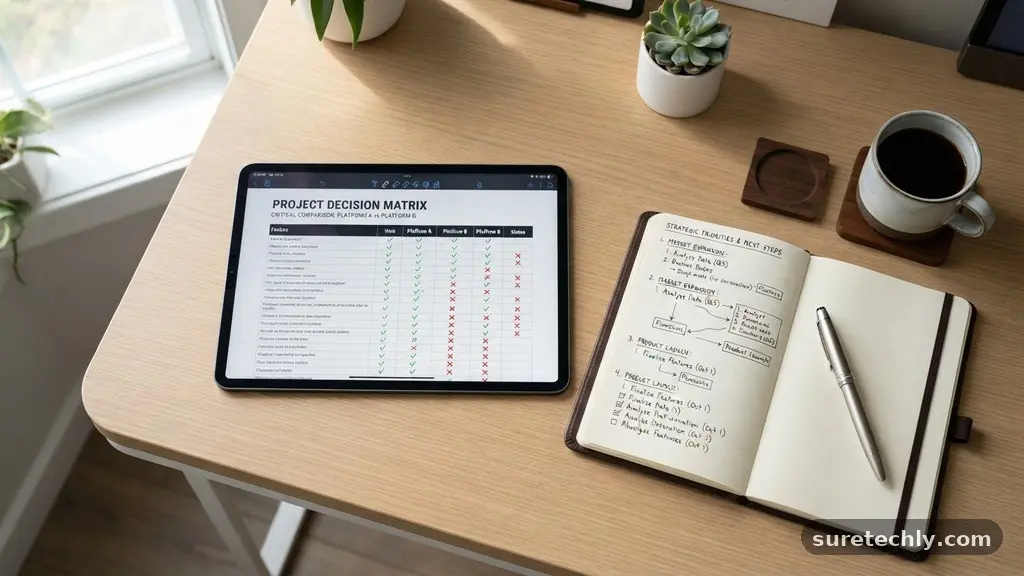
How to Compare Two Software Tools Before Choosing One for Daily Use
Comparing two software tools before choosing one for daily use involves more than just glancing at a feature list or checking the price tag. Professionals often find themselves paralyzed by choice when faced with two seemingly identical platforms that both promise to streamline their operations. By focusing on long-term implications like technical debt and integration capabilities, you can move past the marketing hype.
This process requires a systematic approach to software procurement that prioritizes your specific workflow needs over generic feature sets. You will gain a clearer perspective on how to evaluate hidden costs and operational impact, ensuring your final decision supports your productivity rather than hindering it.
Defining Your Core Operational Requirements
Before diving into feature checklists, you must define the specific problems you need the software to solve. Many users fall into the trap of selecting tools based on a laundry list of bells and whistles they will never actually use.
Start by identifying the three most critical tasks that currently consume the majority of your time. If a tool cannot automate these specific functions, it is likely the wrong choice regardless of its popularity.
Write down your “must-have” features versus your “nice-to-have” capabilities. This distinction is vital because software often excels in one area while failing in another.
A tool might offer excellent project management features but lack the deep reporting capabilities required for your end-of-month audits. By isolating these requirements, you prevent yourself from being swayed by flashy marketing that ignores your unique operational bottlenecks.
Consider how the software fits into your existing daily routine rather than forcing your routine to fit the software. If you spend four hours a day in email, a platform that lacks robust email synchronization is a non-starter.
Focus on the friction points in your current workflow. If a tool doesn’t directly address those points, you are simply trading one set of problems for another, which is a common pitfall in software procurement.
Evaluating the Integration Ecosystem
No software tool exists in a vacuum, making the integration ecosystem a primary factor in your decision. You need to check if the platform connects with your current stack of applications, such as your CRM, cloud storage, or communication tools.
A tool with limited connectivity creates data silos that eventually force your team to perform manual data entry. You can verify these connections by reviewing the official API documentation of both candidates.
Look for native integrations that work out of the box without requiring third-party middleware. While custom builds are possible, they increase your long-term maintenance burden and introduce potential points of failure.
Check if the platforms support webhooks or triggers that allow for advanced workflow automation. This level of connectivity allows your tools to talk to each other, effectively turning multiple standalone applications into a unified system.
Consider the future-proofing aspect of these integrations as well. If you plan to scale your operations, will the current integration options support that growth?
A tool that limits your ability to connect with emerging technologies will eventually become a bottleneck. Prioritize platforms that maintain an open approach to software interoperability, as these are more likely to adapt as your business needs evolve over time.
Calculating the Total Cost of Ownership
The sticker price of a software subscription rarely reflects the true total cost of ownership. Beyond the monthly or annual licensing fee, you must account for implementation time, training costs, and the potential for data migration expenses.
Many organizations overlook the cost of lost productivity during the onboarding phase. If a team takes three weeks to learn a complex interface, that is a significant hidden investment that must be factored into your comparison.
Consider the potential for hidden fees related to data storage, user seat tiers, or premium support packages. Some vendors offer low entry-level pricing but scale costs aggressively as your data usage increases.
You should also evaluate the cost of potential vendor lock-in. If moving your data out of a platform in two years becomes technically impossible or prohibitively expensive, that risk carries a financial weight.
Create a spreadsheet to compare these costs over a three-year period. Include the license fees, estimated training hours, and any necessary third-party integrations required to make the tool functional.
This exercise often reveals that a higher-priced tool with better built-in features is actually cheaper than a “budget” tool that requires five additional paid plugins to function correctly. The table below provides a framework for comparing these financial variables.
| Cost Factor | Tool A | Tool B |
|---|---|---|
| Monthly Subscription | $50/user | $70/user |
| Implementation Time | 10 hours | 2 hours |
| Migration Fees | $500 | $0 |
| Support Level | Email only | Dedicated rep |
Assessing User Interface Latency and Experience
User experience design is not just about aesthetics; it is about how quickly you can complete a task. High user interface latency, or the time it takes for a screen to load after a command, significantly impacts daily focus.
If you find yourself waiting for pages to refresh or menus to populate, your efficiency will drop over the course of an eight-hour workday. During your trial period, pay close attention to how the interface responds under load.
Test the software on your actual hardware to ensure compatibility. A sleek, browser-heavy application might run perfectly on a high-end desktop but lag significantly on a standard office laptop.
If the tool feels sluggish during your initial testing, it will likely feel even slower once your account is populated with months of data. Speed is a feature that you cannot afford to compromise on for a daily-use tool.
Evaluate the cognitive load required to perform common actions. Are the primary functions accessible from the dashboard, or are they buried under three layers of sub-menus?
A well-designed tool minimizes the number of clicks required to execute a command. You should prioritize platforms that allow for keyboard shortcuts and customizable workspaces, as these features drastically reduce the time spent navigating the software.
Reviewing Security Compliance and Data Privacy
Security compliance is non-negotiable when choosing a tool that will house your sensitive business information. You must verify that the vendor adheres to industry standards like SOC2, GDPR, or HIPAA, depending on your region and industry.
Do not take marketing claims at face value; check if they provide a public security portal or documentation regarding their encryption protocols. If they cannot provide clear answers about data residency or breach protocols, it is a red flag.
Consider the control you have over your own data. Does the platform allow for easy, frequent, and secure exports of your information in standard formats like CSV or JSON?
If the vendor makes it difficult to retrieve your data, you are at risk of losing access to your own business history. You should feel confident that you own your data, not the company providing the software.
Think about the user permission settings as well. A robust tool should allow you to granularly control who can access, edit, or delete specific files or modules.
This is essential for maintaining data integrity as your team grows. If the security settings are “all or nothing,” you will eventually face a situation where a user accidentally modifies or deletes critical information, leading to significant downtime.
Identifying Potential Vendor Lock-in
Vendor lock-in is a silent killer of agility in the modern workplace. It occurs when a platform is so deeply ingrained in your operations that switching to a better alternative becomes a massive, multi-month project.
You can mitigate this risk by choosing tools that prioritize data portability and use open standards. Before committing, ask yourself how difficult it would be to extract your data if the vendor suddenly raised prices or discontinued a feature.
Evaluate the “ecosystem tax” associated with the software. Some providers make it easy to bring data in but intentionally difficult to get it out.
Avoid proprietary file formats that can only be read by the vendor’s own suite of products. The more you rely on proprietary features, the more leverage the vendor has to increase prices or lower service quality without consequence.
Look for evidence of the company’s long-term stability and product roadmap. Does the vendor regularly update their software, or has the interface remained stagnant for years?
A company that communicates its vision and roadmap clearly is less likely to force you into a corner. You want a partner, not a digital landlord who holds your operational data hostage.
Managing Technical Debt and Scalability
Technical debt accumulates when you choose a tool that is “good enough for now” but lacks the foundation to grow with you. A tool might be perfect for your current team of five but fail completely when you reach fifty users.
During your evaluation, look for scalability markers like role-based access control, bulk import/export capabilities, and API rate limits. If a tool limits your growth, it will eventually become a liability.
Consider how the tool handles large volumes of information. Does the search functionality remain fast when you have thousands of records? Does the reporting module crash when processing large datasets?
These are indicators of how the software was architected. If the foundation is weak, adding more data will only expose more cracks in the system.
Think about the upgrade path. Does the vendor offer different tiers that allow you to unlock advanced features as you scale, or are you forced to move to an entirely new platform?
A clear, logical upgrade path is a sign of a well-planned software product. Investing in a scalable tool today saves you the immense headache of a full system migration in the future.
Creating a Comparison Checklist
To keep your evaluation organized, use a structured list to compare your candidates side-by-side. This prevents emotional decision-making and keeps you focused on the metrics that matter. You can adapt the following points to fit the specific needs of your industry and your team size.
- Feature Parity: Does the tool cover your essential functional requirements without needing external plugins?
- API Maturity: Is the documentation clear, and are there pre-built integrations for your existing tech stack?
- Scalability: Can the software handle a 2x or 5x increase in your data volume and user count without degradation?
- Data Portability: How easy is it to export your data in a non-proprietary format if you decide to leave?
- Support Responsiveness: Does the vendor provide documentation, live chat, or dedicated support that matches your time zone?
- Security Standards: Does the provider meet the necessary compliance certifications for your industry?
Frequently Asked Questions
How long should I spend testing a tool before committing?
You should aim for a minimum of two weeks of active, daily use. A few hours of clicking through a demo is rarely enough to uncover interface latency or workflow friction. Use the trial to perform actual work tasks rather than just exploring the menus.
What if both tools are equally good?
When two tools offer similar feature sets, base your decision on the vendor’s reputation and your gut feeling about their long-term stability. Check their release notes to see how frequently they push updates. A vendor that is actively improving their product is a safer bet than one that hasn’t changed its interface in years.
Should I prioritize a cheaper tool over a more robust one?
Prioritize the tool that offers the best return on time invested. A cheaper tool that requires extra manual work will cost you more in lost productivity than a slightly more expensive, automated alternative. Always calculate the total cost of ownership rather than looking only at the monthly subscription fee.
Is it better to use one “all-in-one” suite or multiple specialized tools?
This depends on your team’s size and integration needs. All-in-one suites offer better consistency and fewer integration headaches, but specialized tools often provide deeper, more powerful features for specific tasks. If your team has the capacity to manage a few integrations, specialized tools often yield better results.
Choosing the Right Path
Comparing two software tools before choosing one for daily use is a strategic investment in your future productivity. By focusing on the total cost of ownership, integration possibilities, and long-term scalability, you ensure that your choice supports your goals rather than creating new obstacles. Remember that the best software is the one that stays out of your way and allows you to focus on your core work.
Take the time to run a proper trial, document your findings, and weigh the trade-offs against your specific operational requirements. Whether you prioritize a lean, fast interface or a deep, feature-rich ecosystem, the decision should be based on data rather than marketing claims.
Once you have completed this evaluation, you can move forward with confidence, knowing you have selected a tool that will grow alongside your business. Reach out to your team for feedback during the trial period to ensure the final selection works for everyone involved.